
KAREL is a powerful tool for those who want to extend the capabilities of their FANUC robots. With the right training and practice, you can use it to automate complex processes. A sample program demonstrating more advanced features such as loops, conditional commands and…
1. Basic concepts
1.1. What is a FANUC robot?
- Definition: An industrial robot that performs tasks automatically, such as welding, painting, assembly and more.
- Components:
- Arm (manipulator): The mechanical part that performs the movements.
- Controller: The device that controls the robot (called the R-30iB or similar).
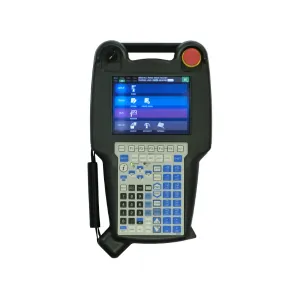
- Teach Pendant: A portable device with a screen and buttons for programming and control.
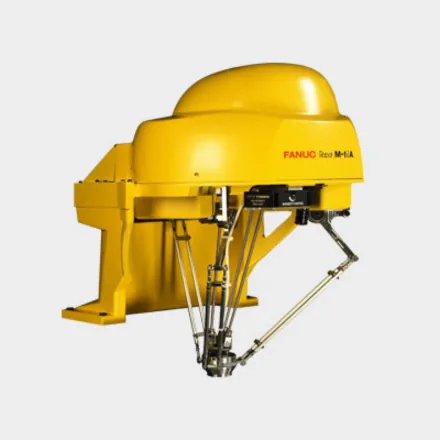
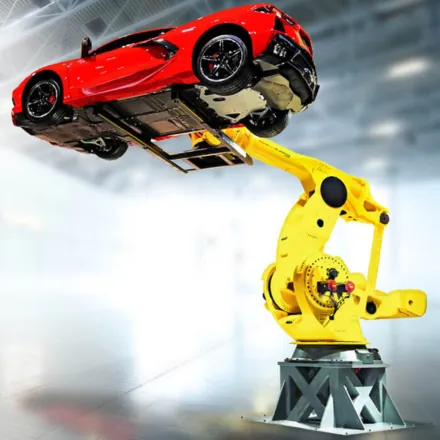
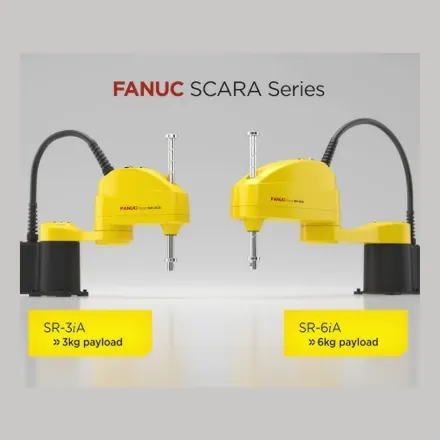
1.2. Types of FANUC robots
- 6-axis robots: The most common, with great flexibility.
- SCARA robots: Suitable for tasks requiring fast, precise movements in a single plane.
- Delta robots: Used for fast tasks such as packing and sorting.
1.3. Programming language
- TP (Teach Pendant Programming): The main language for programming FANUC robots. It's used via the Teach Pendant.
- KAREL: A more advanced programming language that allows more complex logic (not essential for beginners).
Main advantages of KAREL:
- Flexibility: KAREL lets you create custom functions and procedures, making it ideal for specific applications.
- Working with data: It supports operations with variables, arrays and data structures.
- Hardware integration: It allows direct control of input/output (I/O) signals, sensors and other peripheral devices.
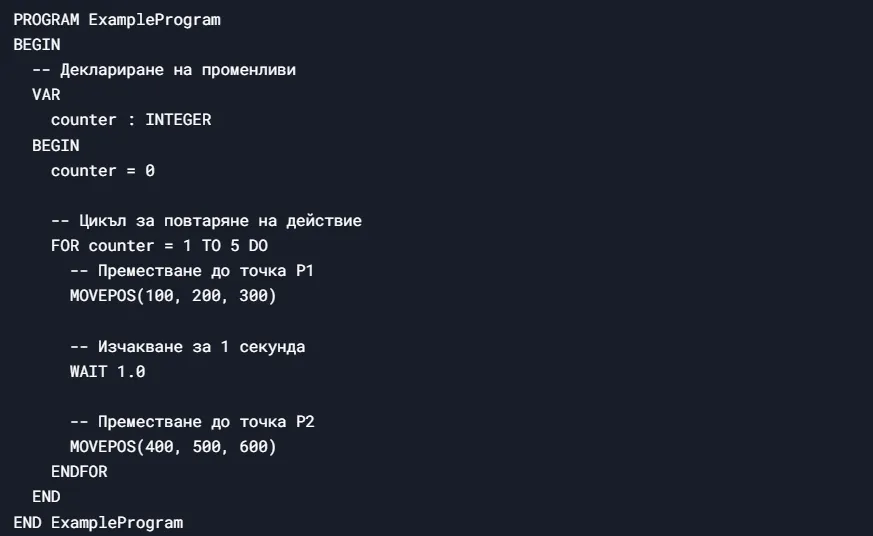
- Structured programming: It supports conditional statements (IF, ELSE), loops (FOR, WHILE) and subroutines.
Sample KAREL code:
When should you use KAREL?
- When you need more complex logic that can't be implemented with the Teach Pendant.
- For tasks that require data processing or integration with other systems.
- When you want to create custom functions for specific applications.
How do you get started with KAREL?
- Learn the basics: Get to know KAREL's syntax and structure.
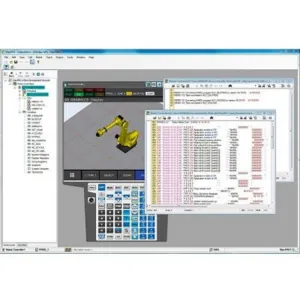
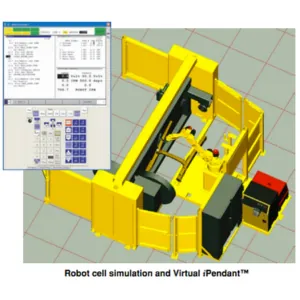
- Use RoboGuide: FANUC provides a simulation environment (RoboGuide) where you can test your KAREL programs.
- Practice: Start with simple programs and gradually move on to more complex tasks.
KAREL is a powerful tool for those who want to extend the capabilities of their FANUC robots. With the right training and practice, you can use it to automate complex processes.
1.4. Development environment
- Teach Pendant: The main interface for programming and controlling the robot.
- RoboGuide: FANUC's simulation environment for creating and testing programs on a computer (not essential for beginners).
2. Programming the robot
2.1. Controller and Teach Pendant
- Controller: This is the robot's “brain”. It runs the programs and controls the movements.
- Teach Pendant:
- The screen shows menus and commands.
- The buttons are used to move the robot and enter commands.
- There's a safety key (mode key) that determines whether you can program or only observe.
2.2. Basic commands
- MOVJ: Joint motion (for free movement between points).
- MOVL: Linear motion (for precise movement in a straight line).
- WAIT: A wait command (e.g. waiting for a signal from a sensor).
- DO: Sending a signal to an external device (e.g. switching on a pneumatic gripper).
2.3. Creating a simple program
- Creating a program:
- Open the Teach Pendant.
- Select “Create Program” and give the program a name (e.g. “TEST1”).
- Recording points:
- Manually move the robot to the desired position using the jog buttons.
- Press “F1” (Record) to save the position as a point.
- Adding commands:
- Use the command menu to add MOVJ, MOVL, WAIT, etc.
- Testing the program:
- Run the program in simulation mode (without moving the robot).
- If everything is fine, run the program in real mode.
2.4. A simple sample program
- Goal: Moving the robot between two points and switching on a gripper.
- Code:

2.5. A sample program for advanced users
A sample program demonstrating more advanced features such as loops, conditional commands and working with input/output (I/O) signals. This will help you understand how a more complex process can be automated.
- Program goal: The robot has to pick items from a conveyor (point A), place them on a worktable (point B) for processing and then sort them into two different containers (points C and D) depending on a signal from a sensor.
- Code:
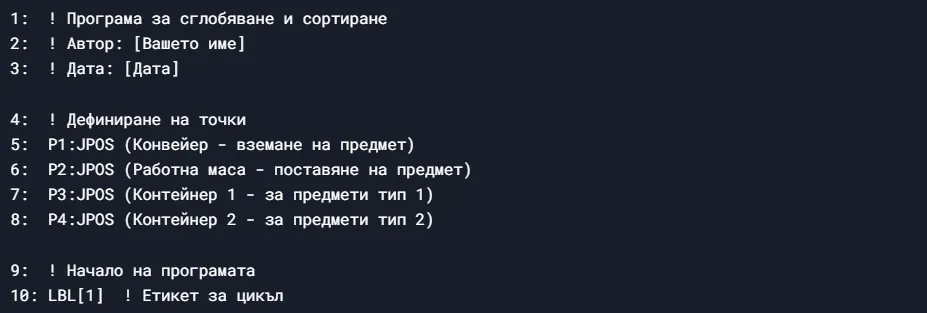
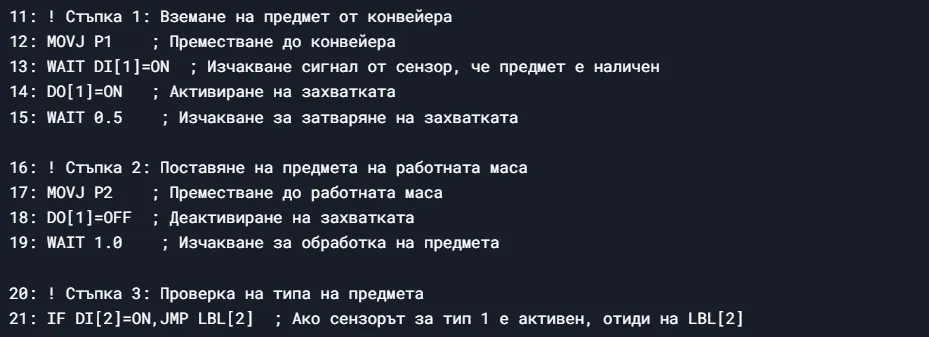
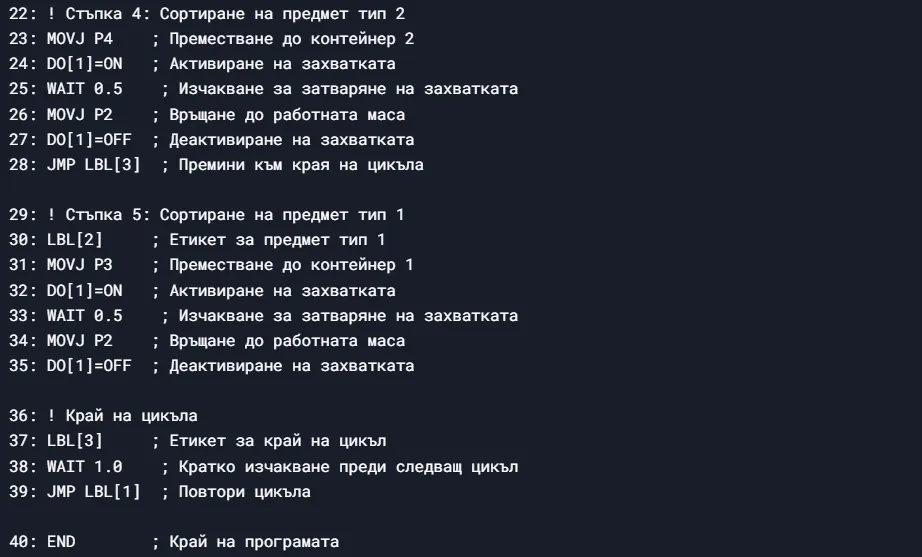
Code explanation:
- Points (P1, P2, P3, P4):
- The points are defined as positions in space (JPOS – Joint Position).
- P1: Position for picking an item from the conveyor.
- P2: Position of the worktable.
- P3: Position of container 1.
- P4: Position of container 2.
- Loop (LBL[1]):
- The program starts with the label LBL[1], which marks the start of the loop.
- The loop repeats until the robot is stopped manually or by an emergency command.
- Picking an item (lines 12-15):
- The robot moves to the conveyor (P1).
- It waits for a signal from the sensor (DI[1]=ON) that an item is present.
- It activates the gripper (DO[1]=ON) and waits 0.5 seconds for it to close.
- Placing the item (lines 17-19):
- The robot moves to the worktable (P2).
- It deactivates the gripper (DO[1]=OFF) and waits 1 second for processing.
- Checking the item type (lines 21-28):
- If the type 1 sensor (DI[2]) is active, the program moves on to sorting a type 1 item.
- If not, the item is sorted as type 2.
- Sorting a type 1 item (lines 30-35):
- The robot moves to container 1 (P3), activates the gripper and returns the item to the worktable.
- Sorting a type 2 item (lines 23-27):
- The robot moves to container 2 (P4), activates the gripper and returns the item to the worktable.
- End of the loop (lines 37-39):
- The program jumps back to the start of the loop (JMP LBL[1]) and keeps running.
How the program works:
- The robot picks an item from the conveyor.
- It places it on the worktable for processing.
- It checks the item type using a sensor.
- It sorts the item into the corresponding container.
- It repeats the process until it's stopped.
Additional notes:
- DI[1]: A digital input signal indicating that an item is present on the conveyor.
- DI[2]: A digital input signal that determines the item type (type 1 or type 2).
- DO[1]: A digital output signal that controls the gripper.
This example shows how a more complex program can be built with loops, conditional commands and I/O signals.
3. Safety
3.1. Basic rules
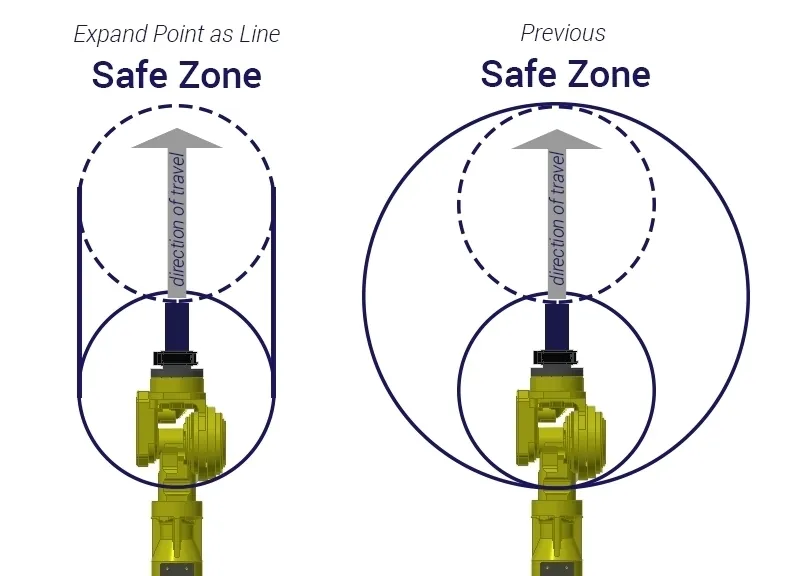
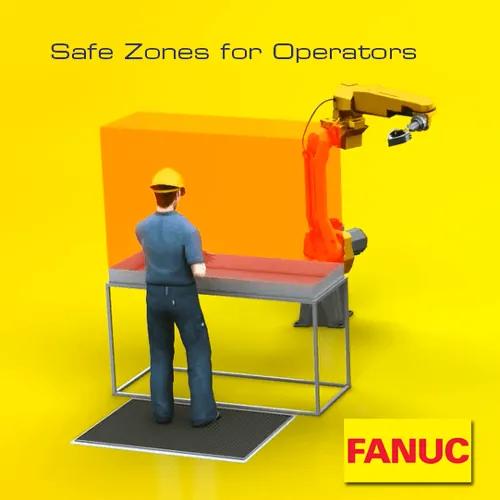
- Safety zone: Always stay outside the robot's range of motion while it's running.
- Emergency stops: Learn where the emergency buttons are and how to use them.
- Training: Don't try to program or operate the robot without prior training.
3.2. Personal safety
- Protective equipment: Wear a helmet, goggles and gloves when working near the robot.
- Avoiding hazardous zones: Don't enter the robot's area while it's moving.
4. Conclusion
FANUC industrial robots are a powerful automation tool, but they require care and training. Start with simple tasks, such as moving between points and using basic commands. With practice you'll gain confidence and be able to tackle more complex tasks. Always follow safety measures and consult the official documentation or trained specialists.
At https://www.youtube.com/user/FANUCEurope you can find useful self-study videos and demonstrations of working with FANUC robots.
FANUC's official website, where you can find documentation, products and contacts, is at https://www.fanuc.eu
On the Artec Robotics “News” page you will find a variety of articles and guides on robotics and automation. Here you'll find useful information about the latest technologies, software solutions and programs that will help you dive deeper into the world of industrial robots and automated systems.
Follow the news from Artec Robotics!
MAKE AN INQUIRY