Introduction
Industrial robots are an important part of modern manufacturing, providing high accuracy, productivity and flexibility. One of the most popular industrial robot manufacturers is the Swedish company ABB. Its 6-axis robots are widely used in various industries, including automotive, electronics, food and many more.
This guide is intended for beginners who want to get to know the basic concepts and tools for working with a 6-axis ABB industrial robot. We'll look at the programming language, the Robot Studio development environment and the basic steps for creating and simulating robot programs.
Programming language
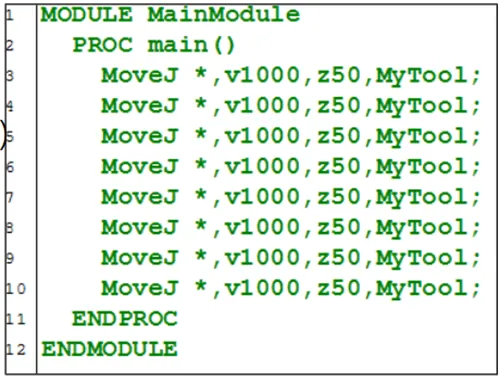
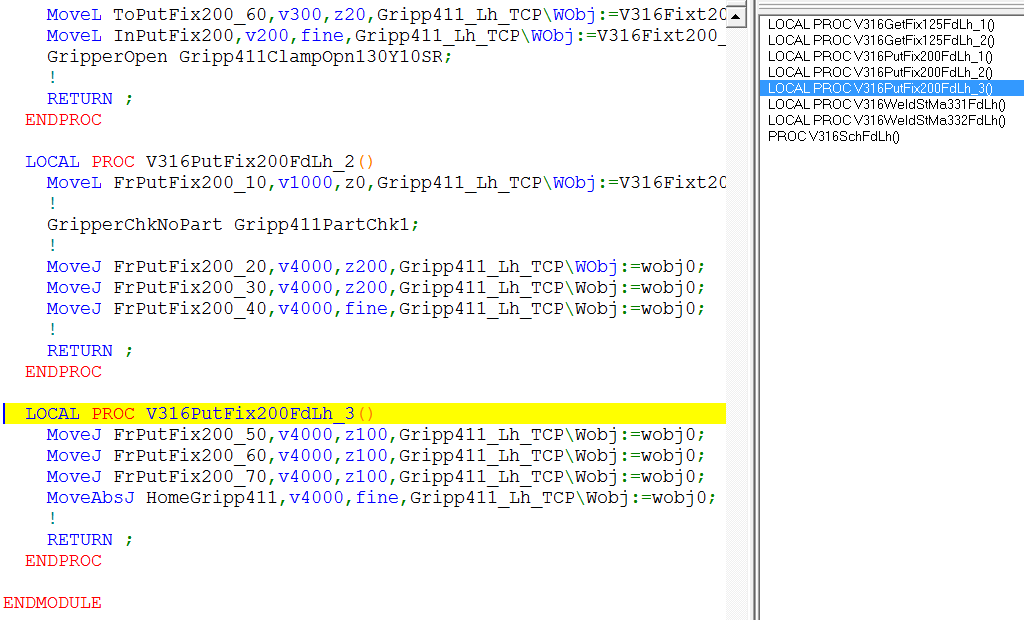
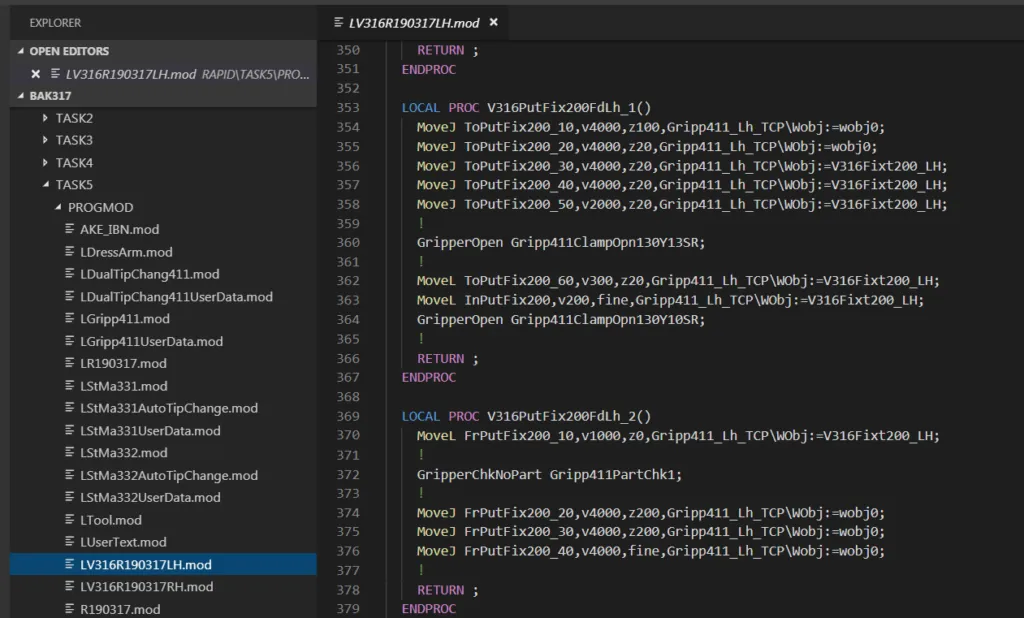
ABB robots are programmed mainly in the RAPID language. RAPID is a high-level programming language developed specifically for industrial robots. It's structured and easy to learn, providing a rich set of instructions and functions for controlling the robot's movements, processing signals, communicating with external devices and much more.
Basic elements of RAPID:
- Motion instructions:
– `MoveJ` – joint movement.
– `MoveL` – linear movement.
– `MoveC` – circular movement.
- Variables and data:
– RAPID supports various data types, such as numbers, strings, arrays and structures.
– Example: `VAR num speed := 100;` – defining a numeric variable.
- Control structures:
– `IF…THEN…ELSE` – conditional statements.
– `FOR…DO` – repeat loops.
– `WHILE…DO` – conditional loops.
- Functions and procedures:
– RAPID lets you define custom functions and procedures so code can be reused.
– Example:
```rapid
PROC main()
MoveJ p1, v100, fine, tool0;
MoveL p2, v200, fine, tool0;
ENDPROC
```
- Signals and I/O:
– RAPID lets you control input and output signals to interact with external devices.
– Example: `Set do1;` – activates an output signal.
- Errors and exceptions:
– RAPID provides mechanisms for handling errors and exceptions, which is important for program stability.
The environment – Robot Studio
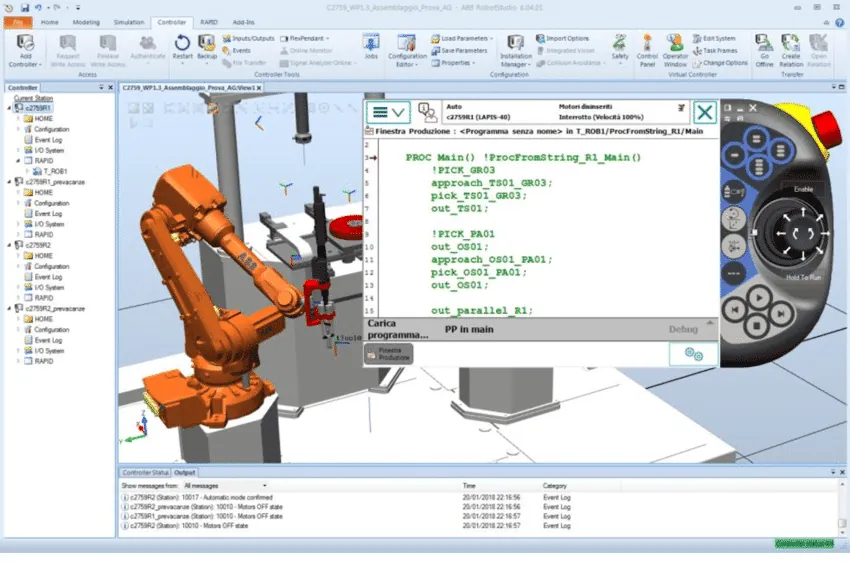
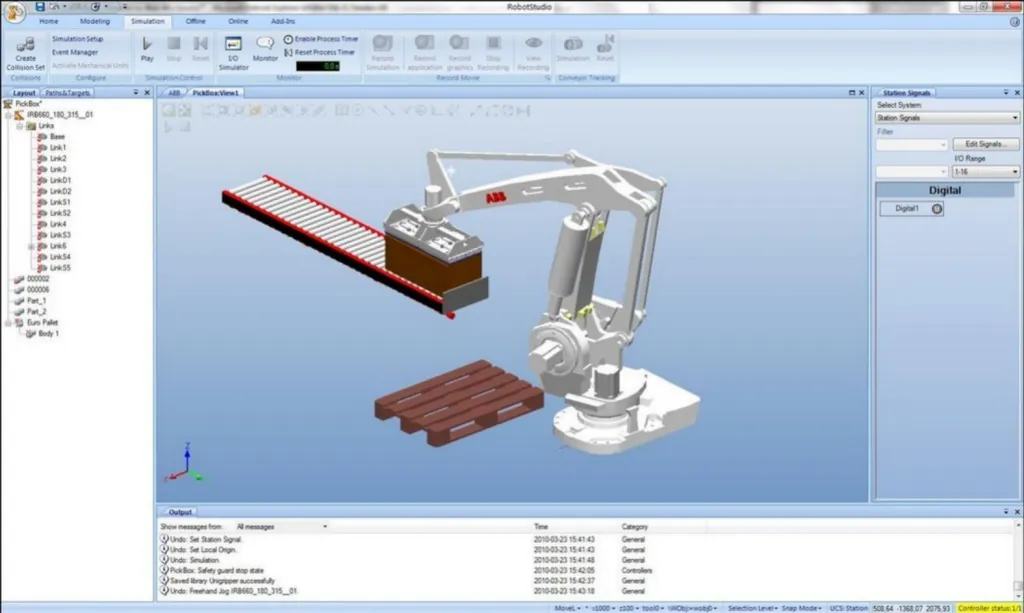
Robot Studio is the official development and simulation environment for ABB robots. It provides powerful tools for creating, editing and testing robot programs without needing a physical robot.
Main features of Robot Studio:
- Creating virtual cells:
– Robot Studio lets you create virtual production cells that include robots, tools, objects and other peripheral devices.
– This allows programs to be tested and optimized in a safe virtual environment.
- Programming robots:
– In Robot Studio you can create and edit RAPID programs.
– The environment provides an editor with syntax highlighting, autocompletion and error checking.
- Simulation and visualization:
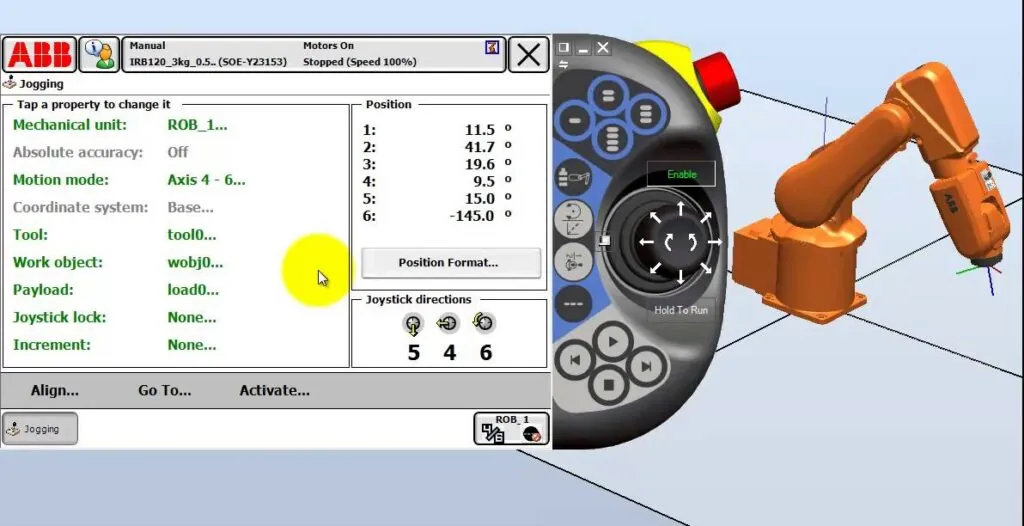
– Robot Studio offers a realistic simulation of the robot's movements, making it possible to identify potential problems such as collisions or program errors.
– The visualization includes 3D models of the robots and the surrounding environment.
- Offline programming:
– With Robot Studio you can program robots offline, which significantly reduces the time needed to set up the production process.
– Once the program has been tested and optimized, it can be transferred to the physical robot.
- Integration with CAD systems:
– Robot Studio supports importing CAD files, making it easy to create accurate models of the work environment and objects.
- Analysis and optimization:
– The environment provides tools for performance analysis, such as cycle time, energy efficiency and more.
– This helps optimize programs and improve the efficiency of the production process.
Steps for creating a program in Robot Studio:
- Creating a new project:
– Launch Robot Studio and create a new project.
– Select the robot type and its configuration.
- Importing CAD models:
– If needed, import CAD models of the work environment and objects.
- Programming the robot:
– Use the RAPID editor to create and edit the program.
– Define positions, paths and program logic.
- Simulation:
– Start the simulation to see how the robot will execute the program.
– Check for collisions and other potential problems.
- Optimization:
– Use the analysis tools to optimize the program.
– Make the necessary corrections and repeat the simulation.
- Transferring to the physical robot:
– Once the program has been tested and optimized, it can be transferred to the physical robot via a network connection or a USB device.
Conclusion
Working with a 6-axis ABB industrial robot requires an understanding of the RAPID programming language and the ability to use the Robot Studio development environment. With this beginner's guide, you've taken the first steps toward mastering these tools. Practice and experimentation are key to improving your skills in programming and controlling industrial robots.
On the Artec Robotics “News” page you will find a variety of articles and guides on robotics and automation. Here you'll find useful information about the latest technologies, software solutions and programs that will help you dive deeper into the world of industrial robots and automated systems.
Follow the news from Artec Robotics!
MAKE AN INQUIRY