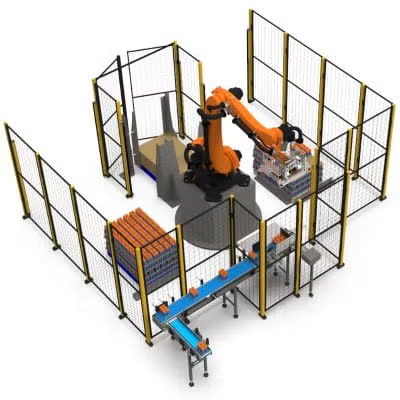
In industrial automation, accuracy is critical. KUKA – one of the leading manufacturers of industrial robots – provides powerful tools for defining and configuring coordinate systems.
To achieve high precision when programming and working with KUKA robots, it's important to understand and correctly set up the Tool Center Point (TCP) and the Base (or PTS – Point Tool System).
What will you learn from this article?
- What the TCP and Base (PTS) coordinate systems are
- The differences between Tool and Base and when each one is used
- Which measurement methods KUKA offers
- Common mistakes and how to avoid them
- Tips for setup and documentation
- Extra tricks for WorkVisual, KRL and safety
What are the Tool and the PTS (Base) on KUKA robots?
Tool (TCP – Tool Center Point)
The TCP is a reference point fixed to the end of the robot's tool. It's the coordinate system the robot uses to determine “where” exactly the tip of the tool is in space.
- It defines a position relative to the flange of axis 6.
- It's extremely important in operations such as:
- Welding
- Palletizing
- Assembly
- Painting, dispensing and others
Base (PTS – the coordinate system of the environment/object)
The Base system is a fixed reference coordinate system that defines the position and orientation of the object in the work environment. The robot uses the Base as the reference point for all movements.
- It's a coordinate transformation relative to “WORLD”
- It's often set by touching points on a real object
How do coordinate transformations work in KUKA?
The robot uses matrix math (homogeneous transformations) to determine the position of the TCP relative to the Base:
POS_world = BASE * ROBOT_POSE * TOOLThis means:
- The Base sets the working context (table, conveyor)
- The TOOL changes exactly how the TCP extends from the flange
- Everything has to be set up perfectly to avoid errors piling up

Methods for defining the Tool (TCP)
- XYZ 4-point Method (the most commonly used)
The robot touches the same point from 4 different orientations. This lets KUKA calculate the exact TCP position relative to axis 6.
Menu:
Setup > Tool > Measure Tool > XYZ 4-point
- XYZ + Orientation Method
Used for tools with a clearly defined orientation, e.g. welding or gluing heads. It also lets you set the orientation (not just the position) of the TCP.
- Manual Entry
You can enter the TCP values (X, Y, Z, A, B, C) manually. Useful if you have a CAD model or documentation.
Methods for defining the Base (PTS)
- 3-point Method
A quick and intuitive way to define a plane:
- Point 1 – origin of the coordinate system
- Point 2 – along the X axis
- Point 3 – in the XY plane
Menu:
Setup > Base > Measure Base > 3-point
- 6-point Method
For higher accuracy – it defines both the position and the spatial orientation. It requires marked physical points.
- From CAD or WorkVisual
You can import coordinate systems from an external CAD/STEP file via WorkVisual or KUKA Sim.
How do you check that everything is correct?
- Create a short program that moves the TCP to a known physical point
- If everything is correct, the TCP should return exactly
- Use LIN motions in the base coordinate system
Common mistakes
- ❌ A mismatch between the real and the virtual tool
- ❌ Mixing up World/Base coordinates
- ❌ Touching the points carelessly
- ❌ Using the wrong Tool value in a program
- ❌ Working with old/outdated settings
Practical tips
- Use a spherical calibration pin
- Name things logically: TOOL[1]=WeldGun_Left, BASE[2]=Conveyor_X
- Back up the settings at every stage
- Document every measurement with the date and operator
- Use WorkVisual for simulation before the real program
- Work at reduced speeds for the initial tests
Additional resources
- KUKA SmartPad – guide to working with Tool/Base
- WorkVisual: KUKA's offline programming environment
- KRL documentation – setting TOOL/BASE in program code:
$TOOL = TOOL_DATA[1]
$BASE = BASE_DATA[2]
Use in real situations
- Palletizing: TOOL = center of suction cup, BASE = pallet system
- Welding: TOOL = the electrode tip, BASE = the weld seam frame
- Assembly: TOOL = screwdriver, BASE = part coordinate system
Setting up the TCP and PTS (Base) is a fundamental part of working with any KUKA industrial robot. Without them, even the most precise program will give wrong results. Good practice, backups and checks are the programmer's and operator's best friends.
Remember: Accuracy isn't a luxury but a requirement in automation. An error of 1 mm = a defective product or even damage.
On the Artec Robotics “News” page you will find a variety of articles and guides on robotics and automation. Here you'll find useful information about the latest technologies, software solutions and programs. They will help you dive deeper into the world of industrial robots and automated systems.
Follow the news from Artec Robotics!
MAKE AN INQUIRY